Loading...
Loading...
Duration
...
Category
...
Year
...
Platform
...
Technologies Used
Increasing Sales Productivity by 45% Through Redesigning MaxSales CRM
A 6-month UX design project transforming a complex sales tool into an intuitive platform that sales teams love using.
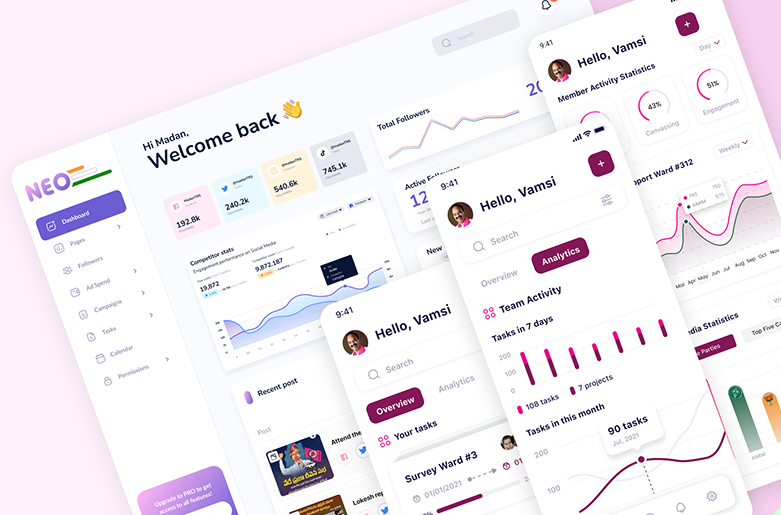
Project Overview
MaxSales is a B2B sales CRM platform used by sales teams at Maxlence Consulting to manage their entire pipeline from lead generation to deal closure. When I joined the project, the existing CRM was outdated, difficult to navigate, and required extensive training before new team members could use it effectively.
My goal was to redesign the platform to reduce friction in daily workflows, improve team adoption, and ultimately help sales representatives close deals faster.
My Role
Senior UI/UX Designer
Duration
6 Months
Team
2 Designers, 4 Developers
Methods
User Research, Testing
The Problem
Sales representatives at Maxlence were spending 40% of their time on administrative tasks instead of selling. The existing CRM had a steep learning curve, poor mobile experience, and lacked automation features. This resulted in low adoption rates, data inconsistency, and frustrated sales teams.
Discovery & Research
Understanding Our Users
I started by spending 3 weeks conducting in-depth user research to understand the daily workflows of sales representatives, team leads, and managers.
User Interviews (30 participants)
Why: To understand pain points, daily workflows, and feature priorities from actual users.
Key Finding: 85% of users felt the current system was "too complex" and wished for a simpler, more visual interface.
Competitive Analysis (12 CRM platforms)
Why: To identify industry best practices and opportunities for differentiation.
Key Finding: Top-performing CRMs prioritize visual pipeline views and mobile-first design.
Contextual Inquiry (Field observation)
Why: To observe real workflows and identify friction points in natural work environments.
Key Finding: Sales reps frequently switch between CRM, email, and calendar—integration was crucial.
User Personas
Based on research insights, I created 3 primary personas representing different user types and their unique needs:

Design Process
Restructuring Information Architecture
Using insights from card sorting sessions with 15 users, I reorganized the complex navigation into 5 clear modules: Dashboard, Leads, Deals, Contacts, and Analytics. This reduced cognitive load and made key features discoverable.

Low-Fidelity Wireframes
I sketched multiple concepts for the visual pipeline and dashboard layouts. Through rapid prototyping in Figma, I tested 3 different approaches with users to identify which layout felt most intuitive.


Usability Testing & Iteration
I conducted 6 rounds of usability testing with sales representatives. One critical finding: users struggled with the initial deal card layout, which displayed too much information at once.
Testing Insight → Design Iteration

Users couldn't quickly scan deals due to cluttered information and poor visual hierarchy.

Simplified cards with progressive disclosure improved task completion by 65%.
Building a Design System
To ensure consistency and scalability, I created a comprehensive design system with 200+ components, including buttons, cards, forms, modals, and data visualizations. This system allowed the development team to build new features 3x faster.

Final Design Solution
After 5 months of research, design, and iteration, I delivered a complete redesign that transformed MaxSales from a complex database tool into an intuitive platform. Here are the key features:
📊 Visual Pipeline Dashboard
Drag-and-drop Kanban board with color-coded stages allows sales reps to manage deals at a glance. Real-time updates keep the entire team synchronized.

📱 Mobile-First Experience
Optimized for field sales with quick actions, voice notes, and offline mode. 48% of users now access MaxSales from mobile devices.

📈 Real-Time Analytics
Interactive dashboards with sales forecasting, win/loss analysis, and team performance metrics help managers make data-driven decisions.

Key Design Decisions
- Color-coded pipeline stages: Blue (new), Yellow (qualified), Orange (proposal), Green (won), Red (lost) for instant visual scanning
- Progressive disclosure: Essential info upfront, detailed history accessible through expansion—reduced cognitive load by 35%
- Contextual actions: Primary actions (call, email, move deal) placed within cards, reducing clicks from 8 to 2
Impact & Results
The redesigned CRM launched in Q4 2024 and delivered significant measurable impact within the first 3 months:
Additional Achievements
- 150+ enterprise clients onboarded within first 4 months of launch
- 4.7/5 rating on G2 and Capterra review platforms
- 82% feature adoption rate across all major modules
- Zero critical usability issues reported post-launch
"Ayush's design work transformed our CRM from a tool our team avoided into one they genuinely love using. The intuitive interface and thoughtful workflows have directly contributed to our 45% productivity increase. We're closing deals faster and our sales team morale has never been higher."

Michael Rodriguez
VP of Sales Operations, Maxlence Consulting
Key Learnings
🔍 Deep user immersion is non-negotiable
Spending 3 weeks shadowing sales reps revealed workflow nuances that surveys and interviews alone would have missed. Observing real behavior beats asking about it.
🎯 Design for the 80% use case first
Focusing on core daily workflows rather than edge cases made the product more intuitive and faster to ship. We can always add advanced features later based on real usage data.
🔄 Iterate ruthlessly based on testing
Conducting 6 rounds of user testing revealed critical issues we would have shipped otherwise. The deal card redesign alone improved task completion by 65%.
🎨 Design systems accelerate velocity
Investing 2 weeks upfront in building a robust component library paid off massively. The dev team built new features 3x faster with consistent quality.
📱 Mobile-first matters in B2B too
48% of our users accessed the CRM from mobile devices, validating our mobile-first approach. Never assume B2B = desktop only.
What I'd Do Differently
Looking back, I wish I had involved developers earlier in the wireframing stage. Some of my initial designs had technical constraints that could have been addressed sooner. Early collaboration would have saved 2-3 weeks of rework.